Quartz V5 Explorer Sorting
I wanted the Explorer to show folders first, then under them (and within the folders when expanded) notes in reverse-chronological order based on their created date.
It was a trip. With the way V5 hands a lot of stuff off to plugins, it was a smidge more hassle than the V4 version.
Here’s how I got there, for like-minded peeps. Back everything up first. Mainly your vault, rerolling Quartz isn’t that difficult, but the first thing I’m gonna do potentially touches every single note in your vault, so if something goes wrong it is going to suck.
Backed up? Cool, carry on.
Step Zero - Dates in the Correct Format in Your Frontmatter
Ya know the Linter Plugin, right? Get that. There are many settings to play with, the only ones we care about for this are under the YAML tab in the plugin’s settings:
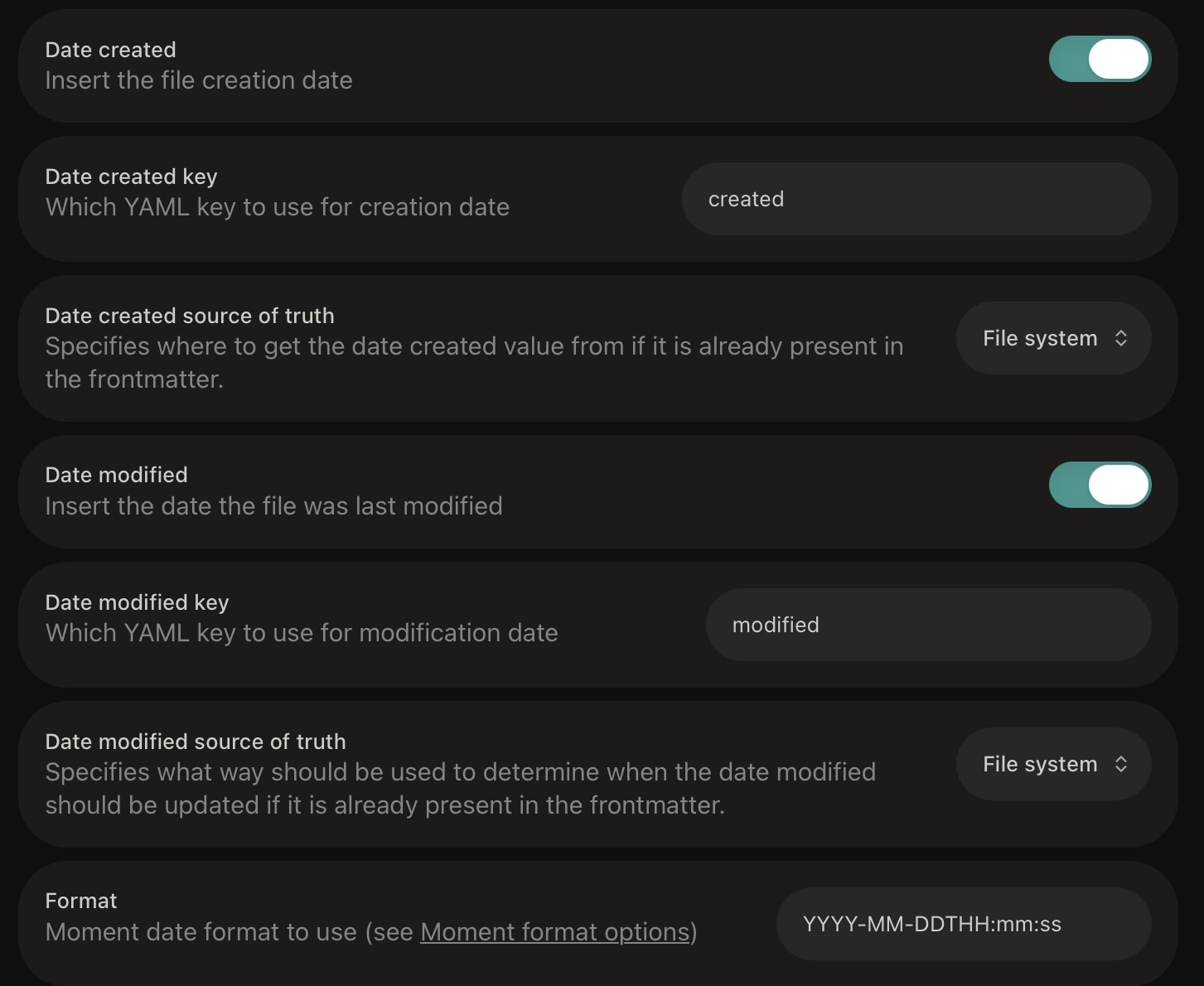
I went through a few iterations of date formats trying to get this to stick. Others may work, but YYYY-MM-DDTHH:mm:ss definitely does. Set that up, check that backup you ran mere moments ago actually happened, and run the “Lint all files in the vault” command (from the command pallet). Grab a beverage while it thinks about it.
I really wasn’t joking about backing up, if something goes wrong here, every note in your vault has just been affected.
Step 1 - Explorer Sort Function.
Plug this into the top of ya quartz.ts. Mine lives here for reference.
import * as ExternalPlugin from "./.quartz/plugins"

ExternalPlugin.Explorer({
  sortFn: (a, b) => {
    // Folders before files
    if (a.isFolder && !b.isFolder) return -1
    if (!a.isFolder && b.isFolder) return 1

    // Two folders: alphabetical
    if (a.isFolder && b.isFolder) {
      return a.displayName.localeCompare(b.displayName, undefined, {
        numeric: true,
        sensitivity: "base",
      })
    }

    // Two files: newest created date first
    const aDate = a.data?.date
    const bDate = b.data?.date
    if (aDate && bDate) return new Date(bDate).getTime() - new Date(aDate).getTime()
    if (aDate) return -1
    if (bDate) return 1

    // Fallback: alphabetical
    return a.displayName.localeCompare(b.displayName, undefined, {
      numeric: true,
      sensitivity: "base",
    })
  },
})

import { loadQuartzConfig, loadQuartzLayout } from "./quartz/plugins/loader/config-loader"
const config = await loadQuartzConfig()
export default config
export const layout = await loadQuartzLayout()
Step 2 - Tell Quartz to Look at the created Date
Out of the box, the created-modified-date plugin looks for the modified date. Swap this bit (don’t duplicate it) for the plugin’s section within quartz.config.yaml, it should just be changing that defaultDateType string to “created”, worth double checking that “priority:” has “frontmatter” at the top/first priority.
  - source: github:quartz-community/created-modified-date
    enabled: true
    options:
      defaultDateType: created
      priority:
        - frontmatter
        - git
        - filesystem
    order: 10
Step 3 - Fork Content-index
Frustratingly, as V4 did before it, the date info gets thrown away before the map/entire contents of your site gets built into contentIndex.json. We don’t want that. Because the Explorer is built client side (meaning by the browser of the person viewing your site), nothing we’ve done so far will change how the page looks. So we need to comment out/remove that “delete content.date” line.
- Fork
github.com/quartz-community/content-indexto your account (e.g.github.com/<YourUserName>/content-index), keep the repo name.

2. On the fork’s default branch (main), open the emitter filesrc/plugins/emitters/contentIndex/emitter.ts
3. Find the simplifiedIndex builder and delete the delete content.date; line. (Line 189 at time of writing)
Step 4 - Point Our Quartz at the Newly Forked Plugin
Back into quartz.config.yaml for one last edit! Line 141 (at time of writing, it might move around) gets changed from:
- source: github:quartz-community/content-index
To:
- source: github:<YourUserName>/content-index
Step 5 - Rebuild, and Enjoy
If you’ve been doing all this locally, npx quartz build --serve should get you a localhost version with the desired sort order. An actual real life deploy might need an extra step though. GitHub saves itself some work by caching what it can for workflows, so might not bother looking at your shiny new content-index fork. The good news is, that’s easy to get rid of. Head to your “Actions” tab at top of the web interface for your Quartz repo, and then in the sidebar that pops up on the left, there’s a handy little “Caches” button, like so:
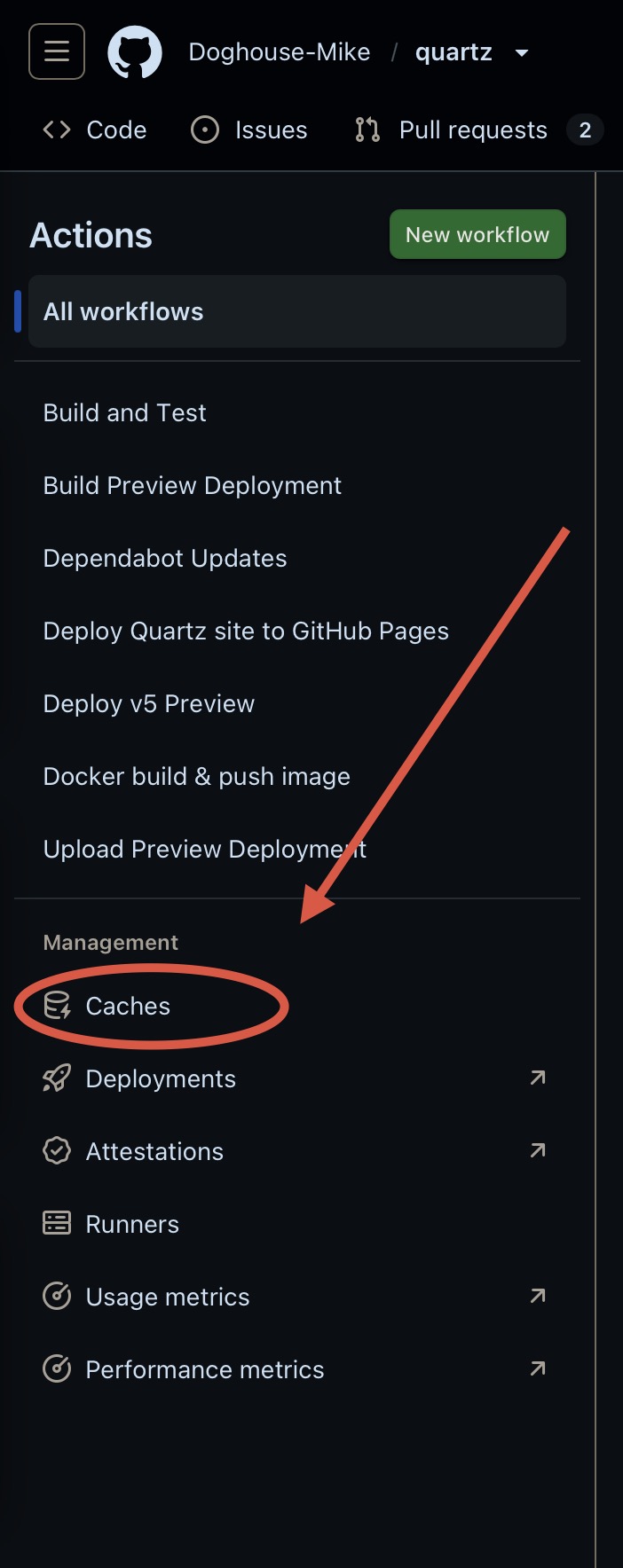
Hit that, then the little bin icons on the far right to get rid of em all. Publish something/otherwise redeploy the site, et voila, folders first, notes after, newest one at the top, oldest one at the bottom, blog style!